HapTech: Intelligent controls through mid-air haptic interaction
HapTech allows users to control essential classroom features effortlessly without the need to physically touch switches or buttons.
Context
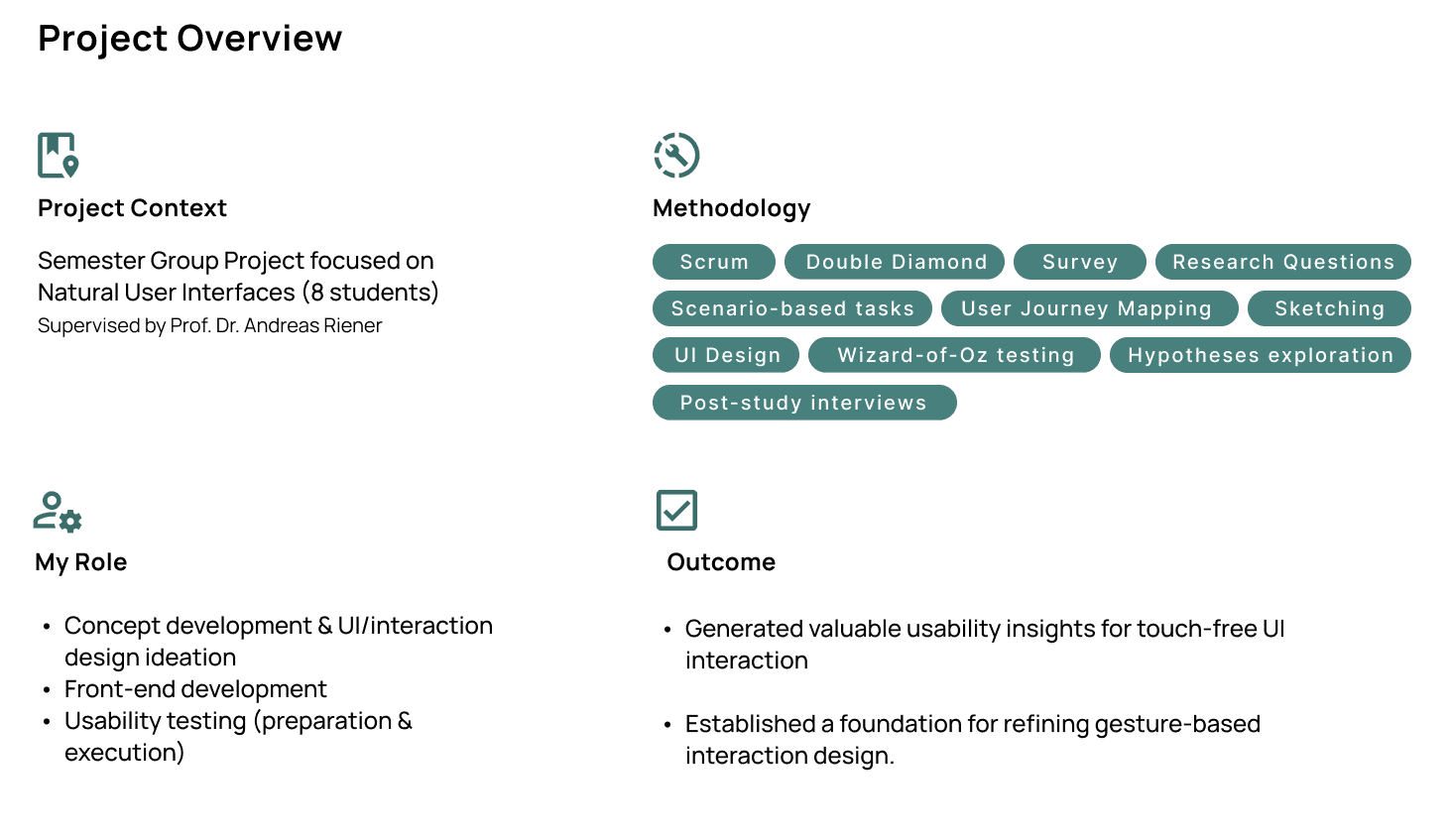
Group Project
Duration
3 months
Grade
1.3
Year
2023
Problem
Hygiene concerns in public spaces

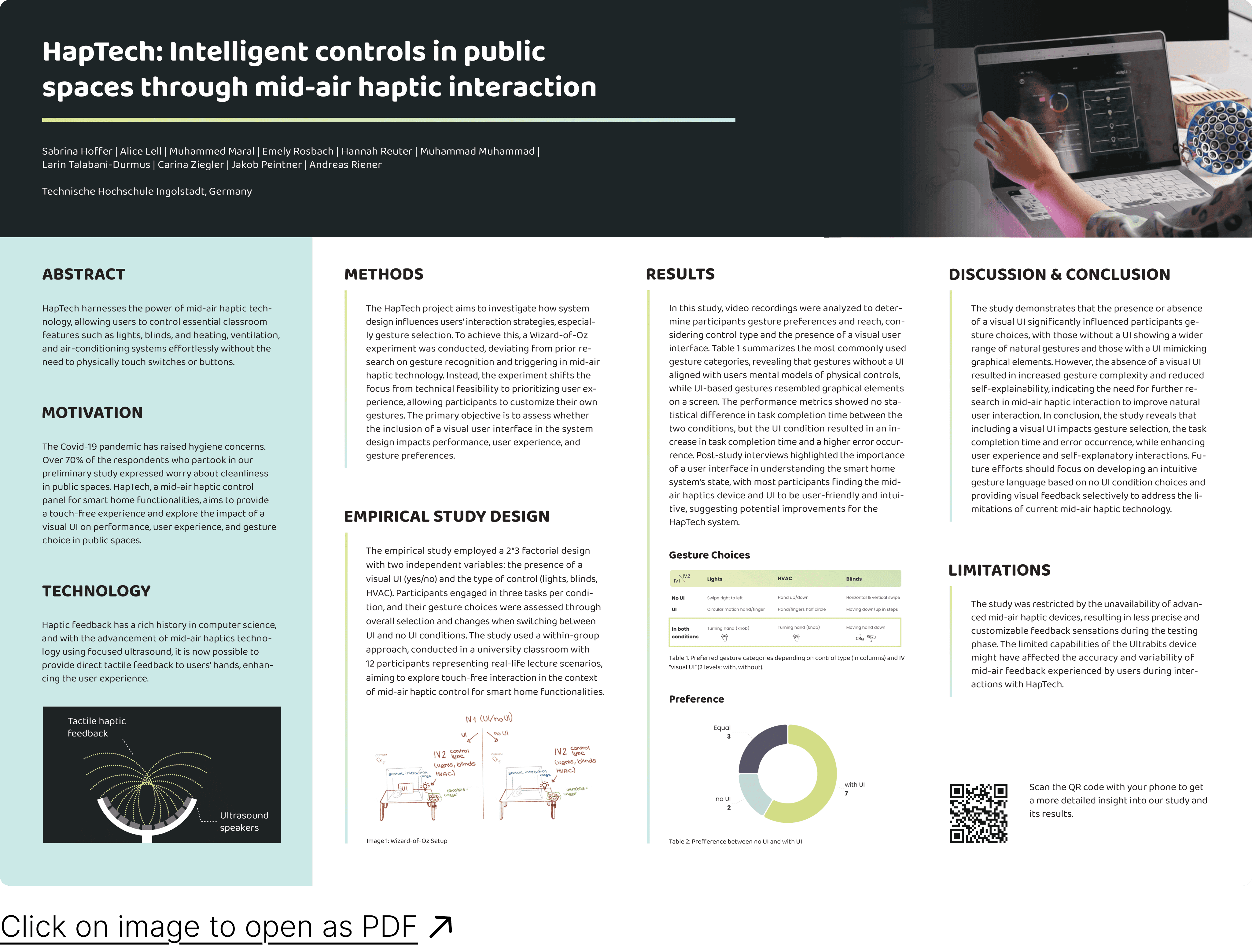
The Covid-19 pandemic has raised hygiene concerns. Over 70% of the respondents who partook in our preliminary study expressed worry about cleanliness in shared spaces, like classrooms.
The Solution (Vision)
HapTech provides a touch-free interaction
HapTech, a mid-air haptic control panel for smart home functionalities, enables touch-free control of smart environments using gestures and mid-air haptic feedback, eliminating physical contact with shared interfaces. In this project, the technology represents the intended solution, but the study focused on exploring user interaction and experience rather than technical implementation.
Focus & Goal
How UI design shapes gesture interaction
To create an intuitive touch-free interaction, the project investigates how a visual UI shapes gesture-based control.
The study compares gesture interaction with a visual UI and free-air gestures without UI, evaluating performance, user experience, and gesture choice.
Research Question
How should the controls and feedback of our mid-air haptic prototype be designed to guarantee intuitive usability and an enjoyable user experience?
Hypotheses:
H1: The integration of a visual user interface into a mid-air haptic smart home control system will significantly increase the user experience compared to the baseline (no UI).
H2: The integration of a visual user interface into a mid-air haptic smart home control system will significantly increase the performance compared to the baseline (no UI).
H3: The integration of a visual user interface into a mid-air haptic smart home control system will influence the gesture choice of the participants compared to the baseline (no UI).
Scenario & User Journey Map
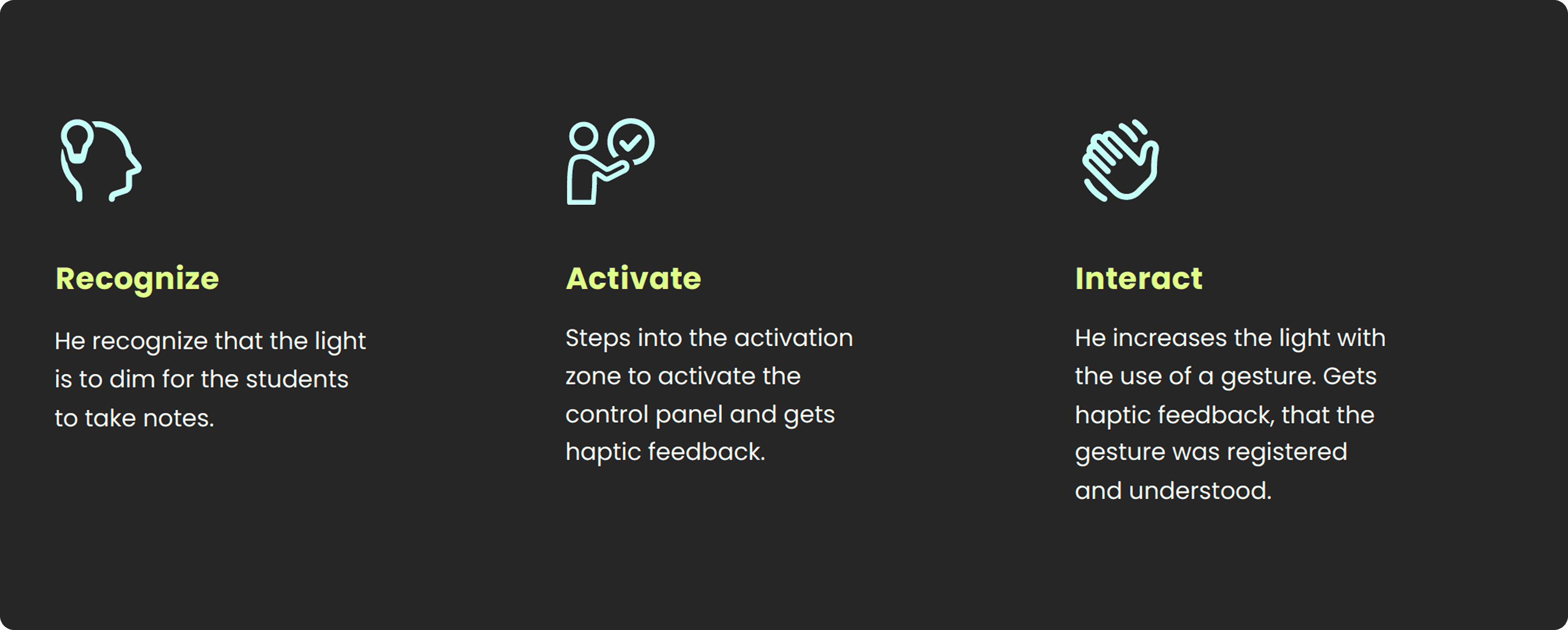
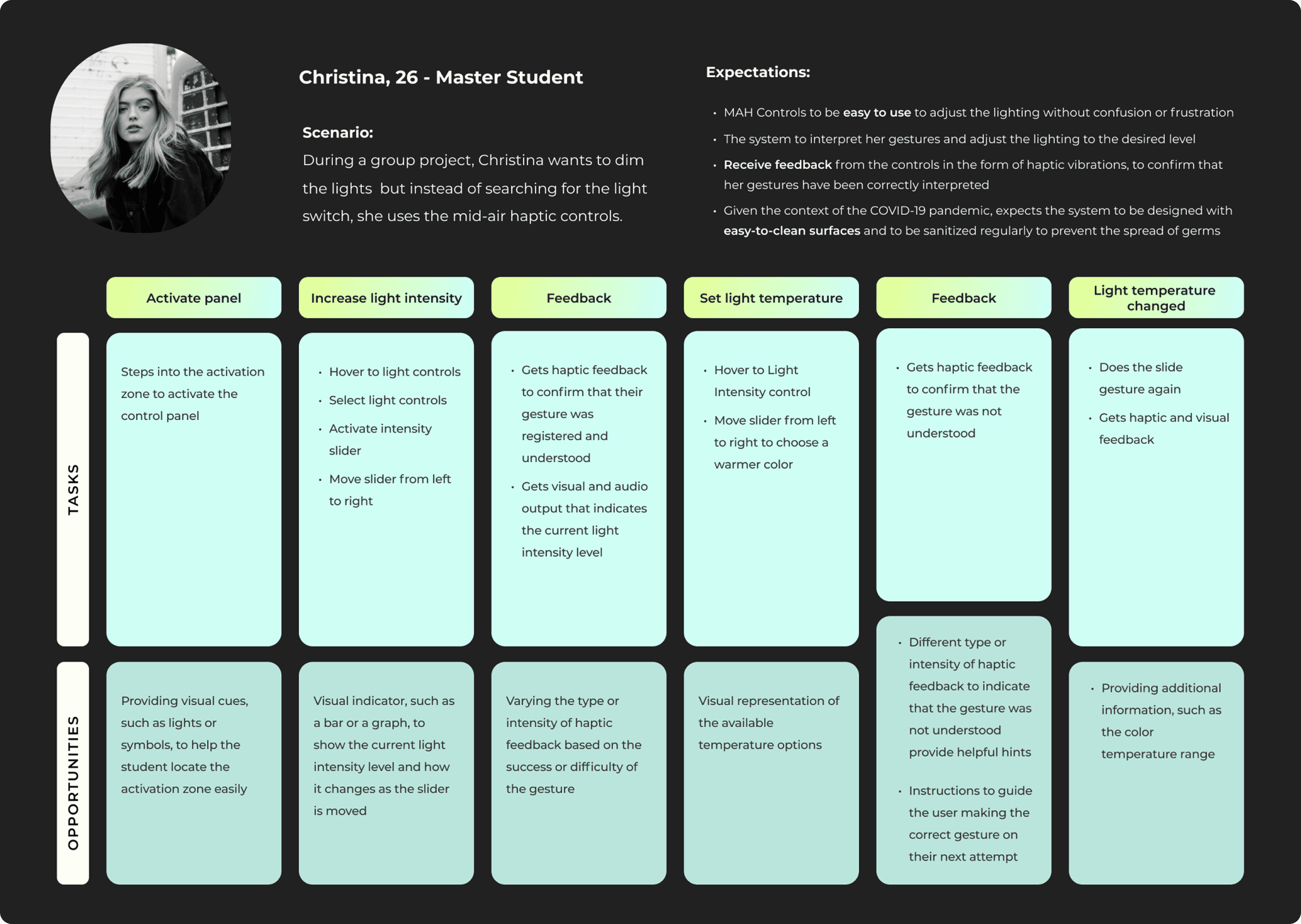
In a typical classroom, users need to adjust lights, blinds, and HVAC without touching shared surfaces. The scenario explores how gestures could be used to control these systems in a touch-free, hygienic way.
UI Design
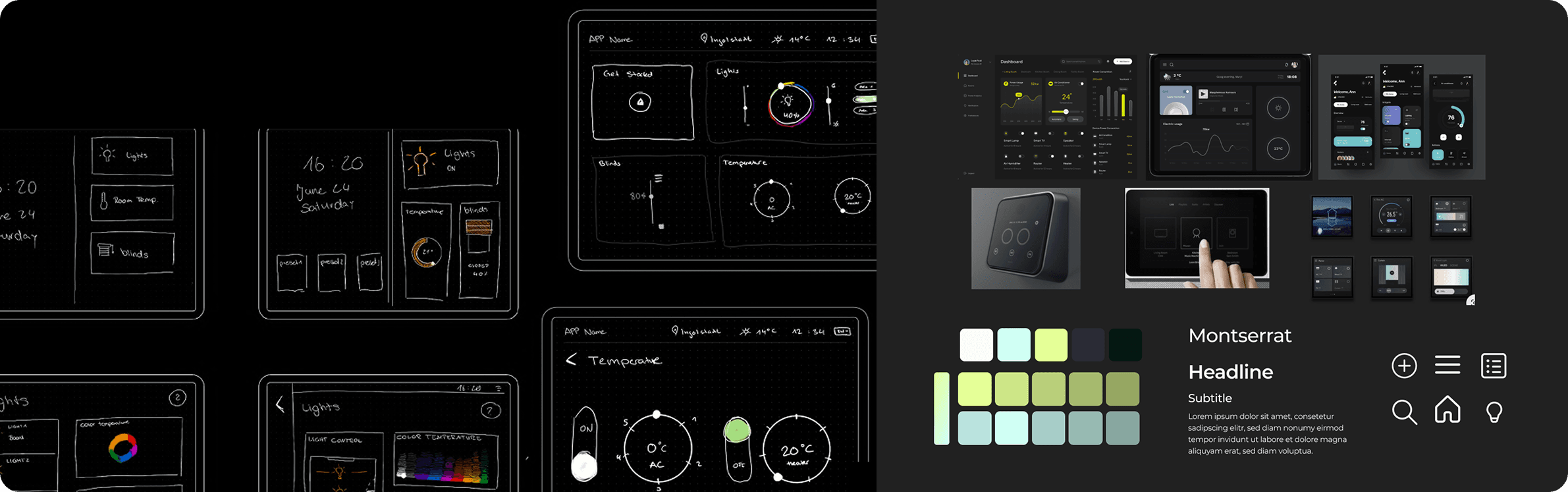
Sketches and Moodboard
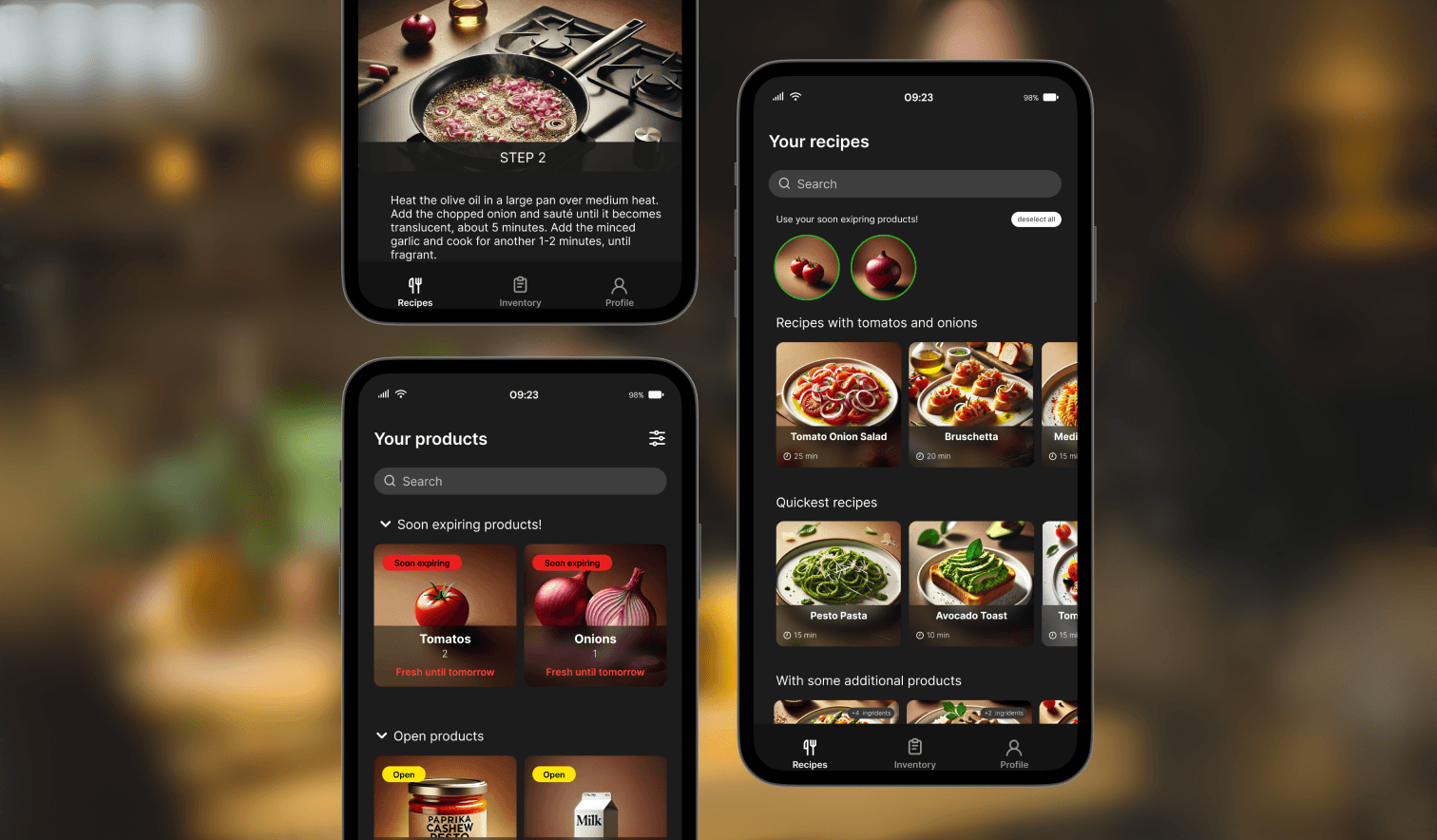
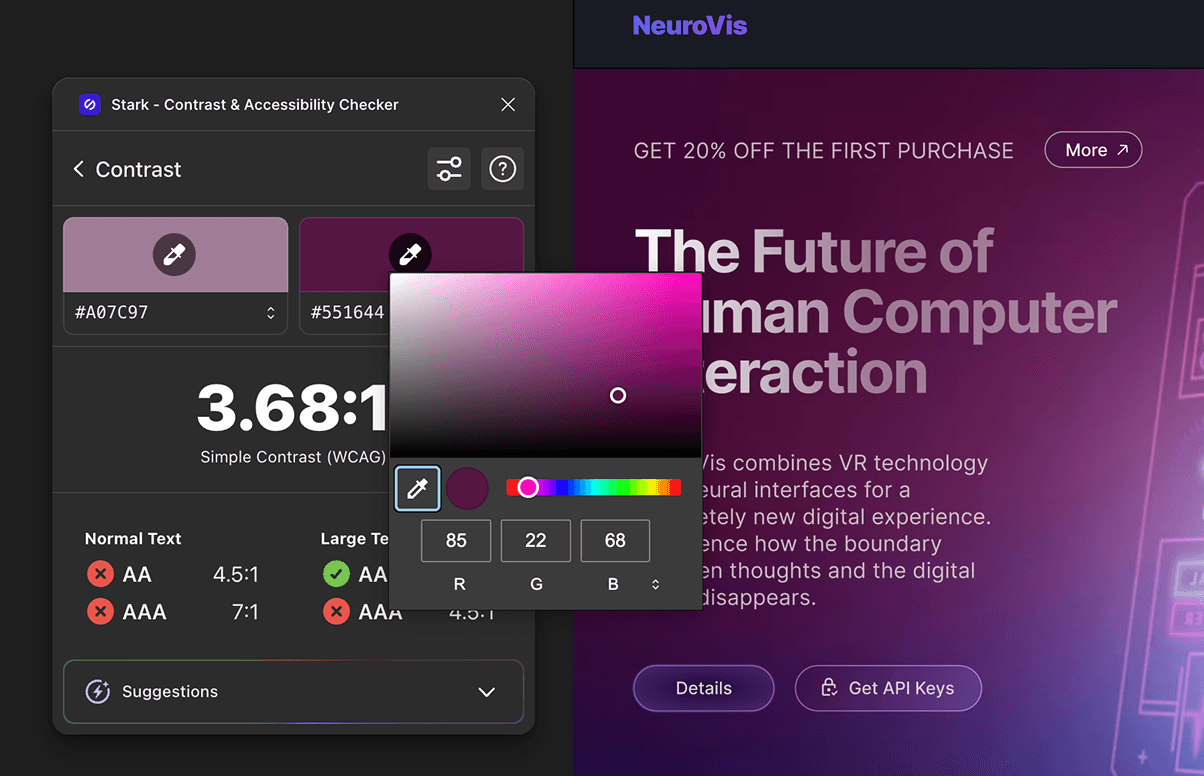
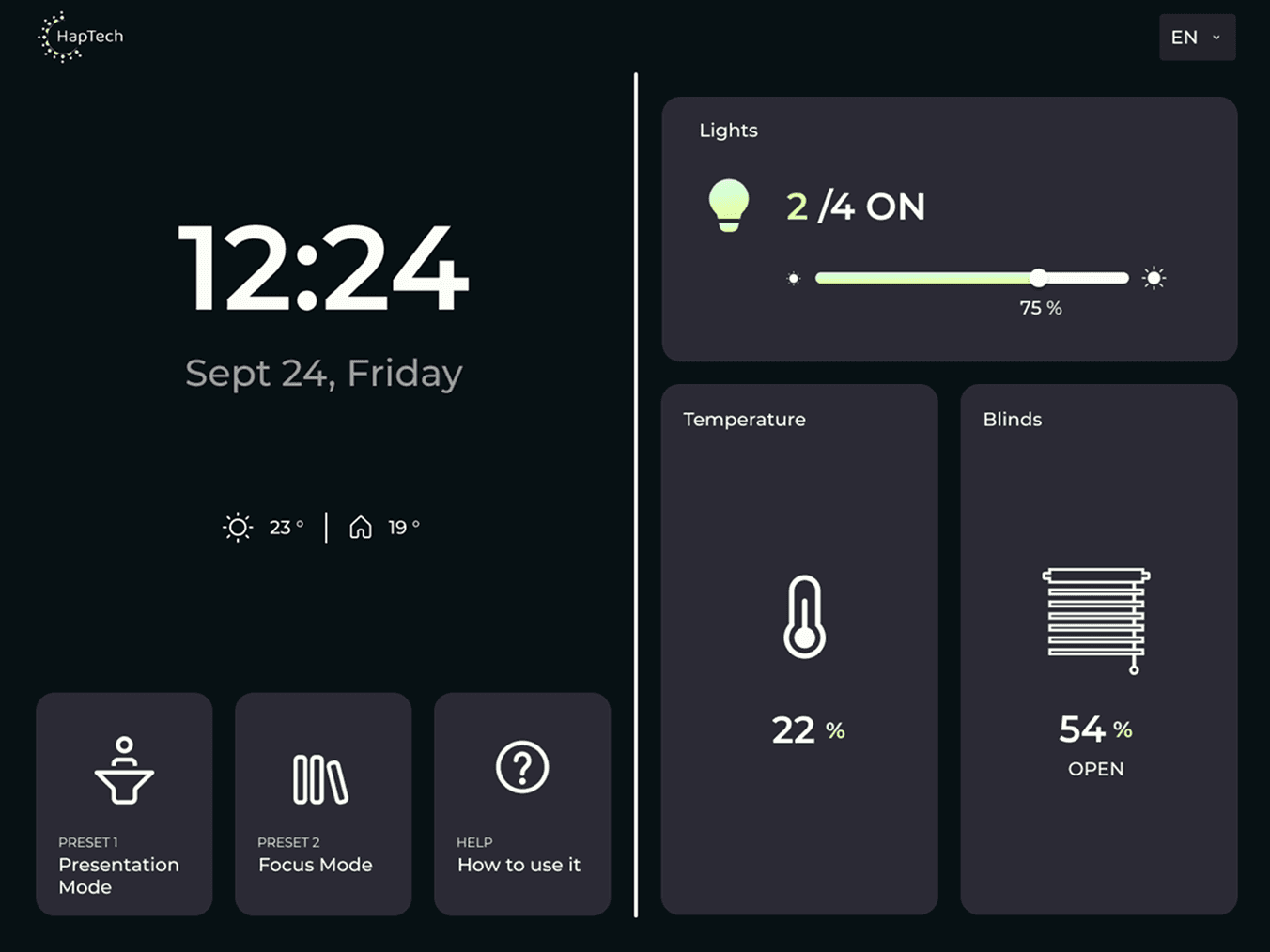
Final UI Screens
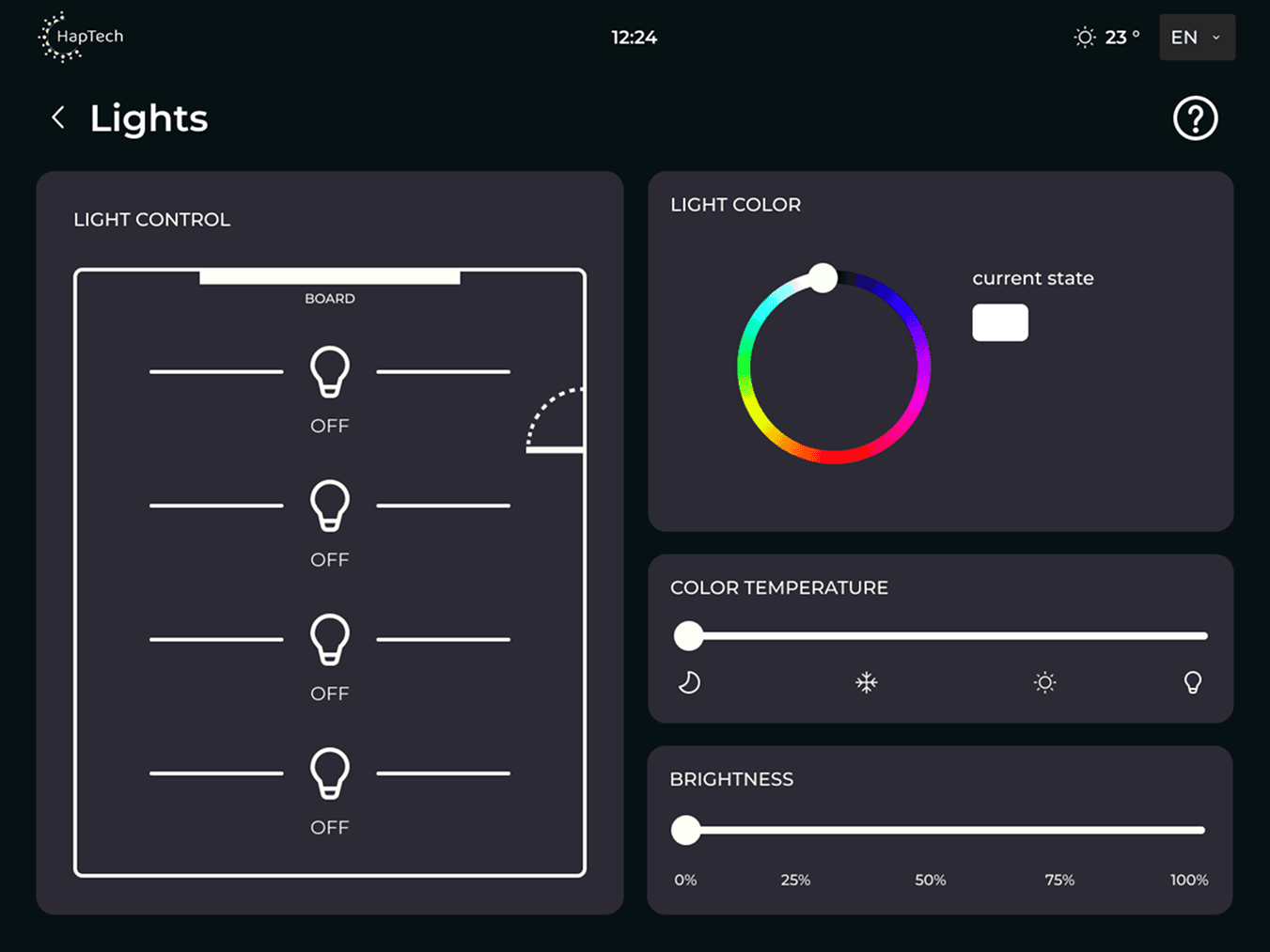
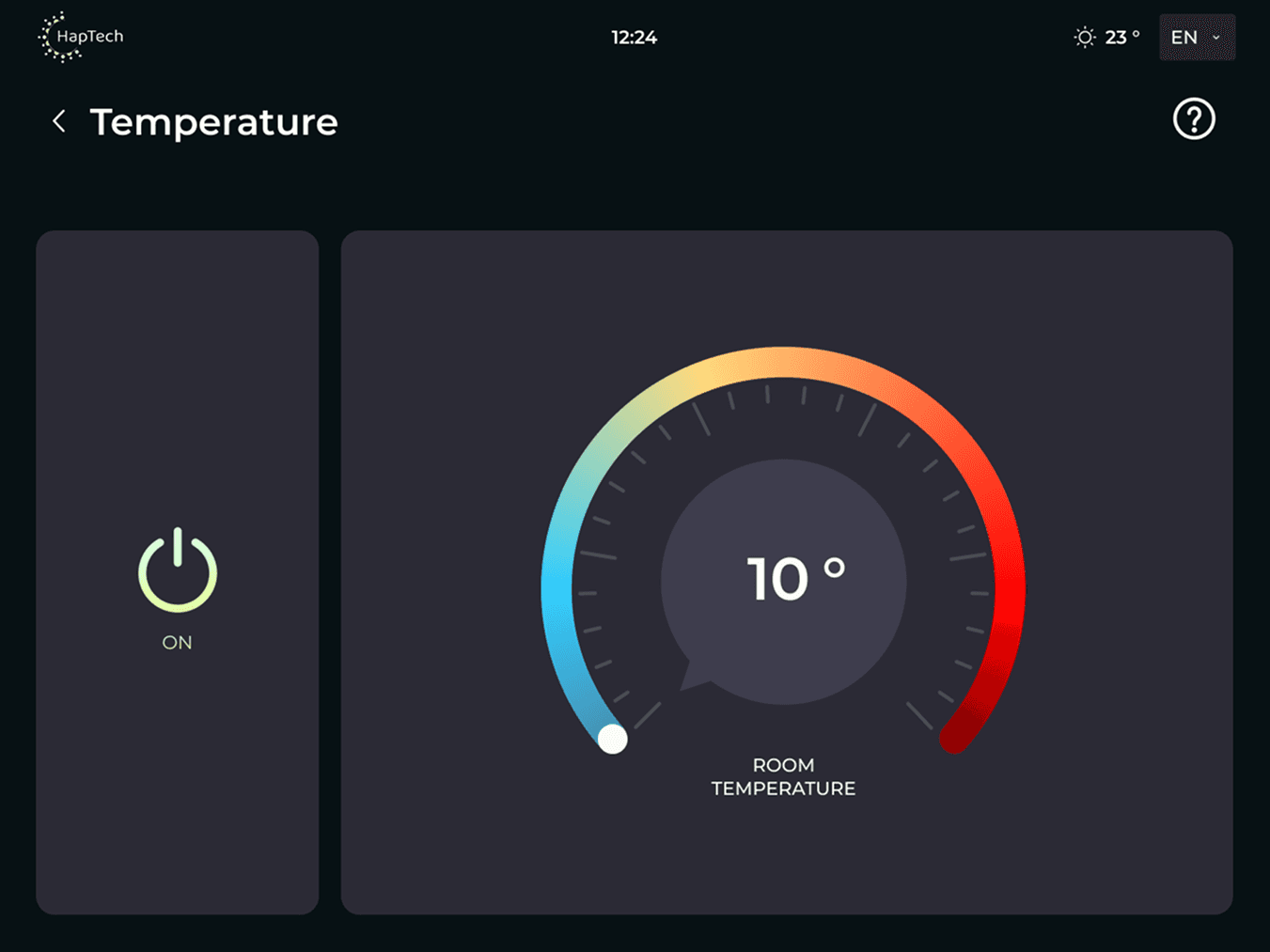
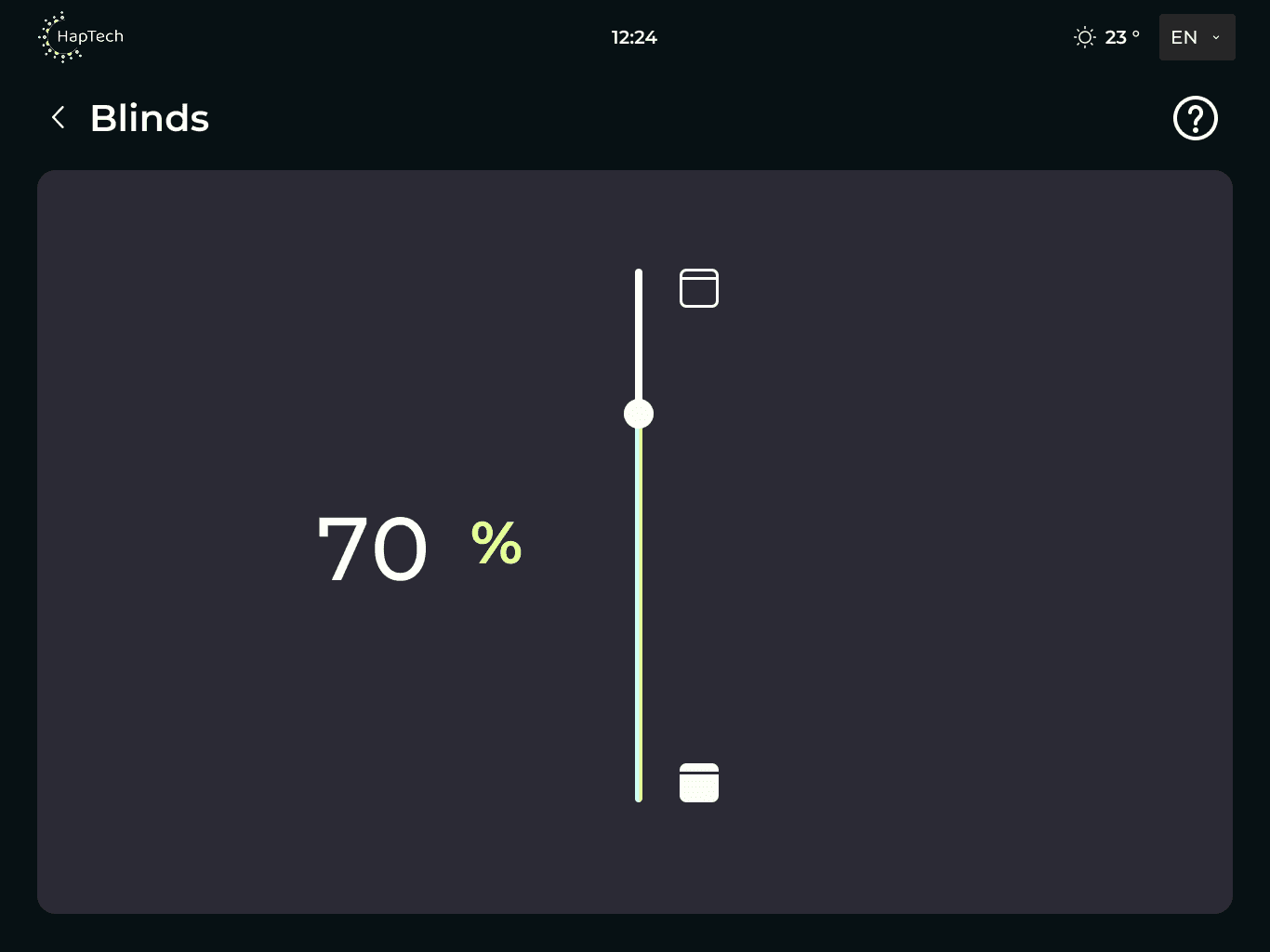
We focused on a minimal interface, presenting only the necessary options (lights, blinds, heater) to ensure the UI was intuitive, easy to navigate, and simple to use.
Technology: Tactile haptic feedback through Ultrasound
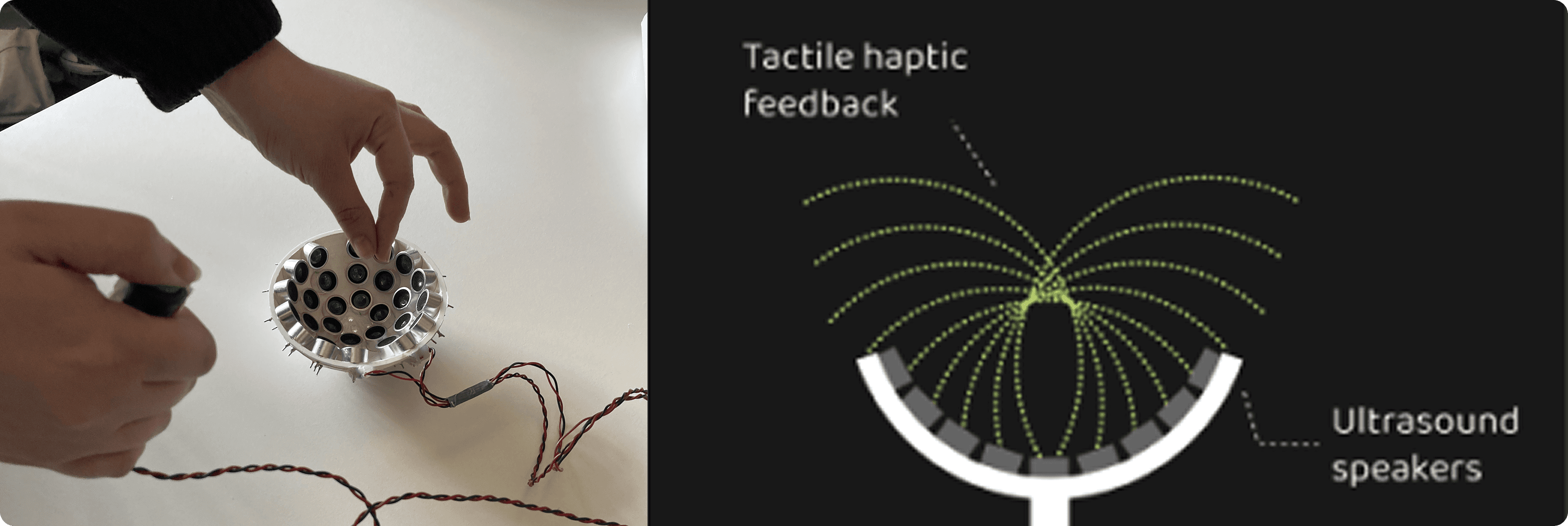
Haptic feedback has a rich history in computer science, and with the advancement of mid-air haptics technology using focused ultrasound, it is now possible to provide direct tactile feedback to users’ hands, enhancing the user experience.
Due to the use of a small Ultrabit prototype, the available haptic feedback was limited in precision, fidelity, and interaction area, relying primarily on basic vibration-like sensations.
For this reason, mid-air haptics were used in this study to support system activation rather than continuous interaction. Participants activated the system by placing their hand in mid-air and received haptic feedback as confirmation, allowing them to begin their gestures with confidence.
Study Design & Usability Testing
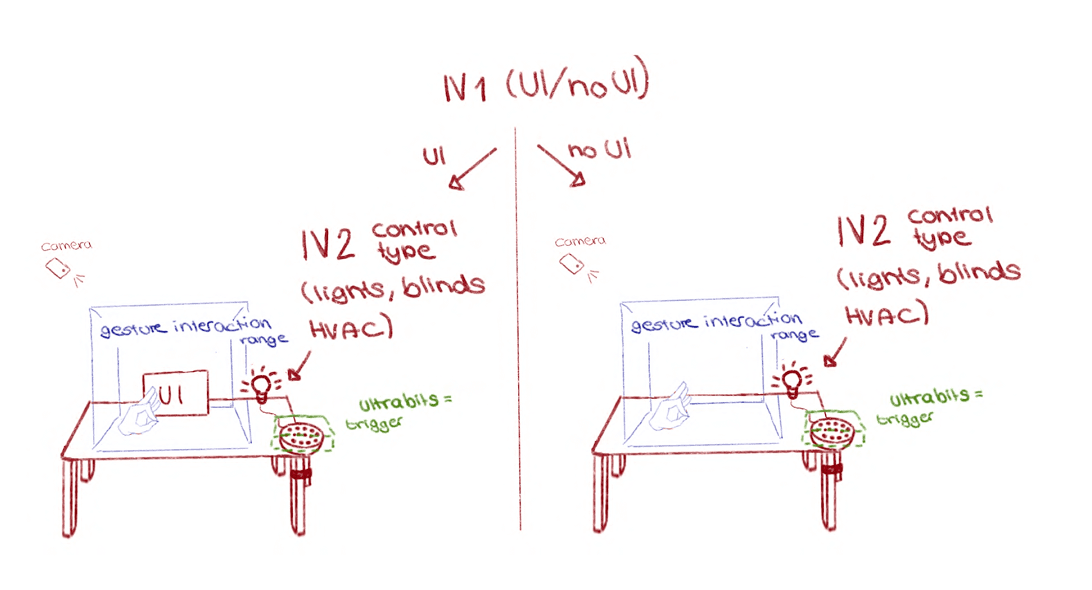
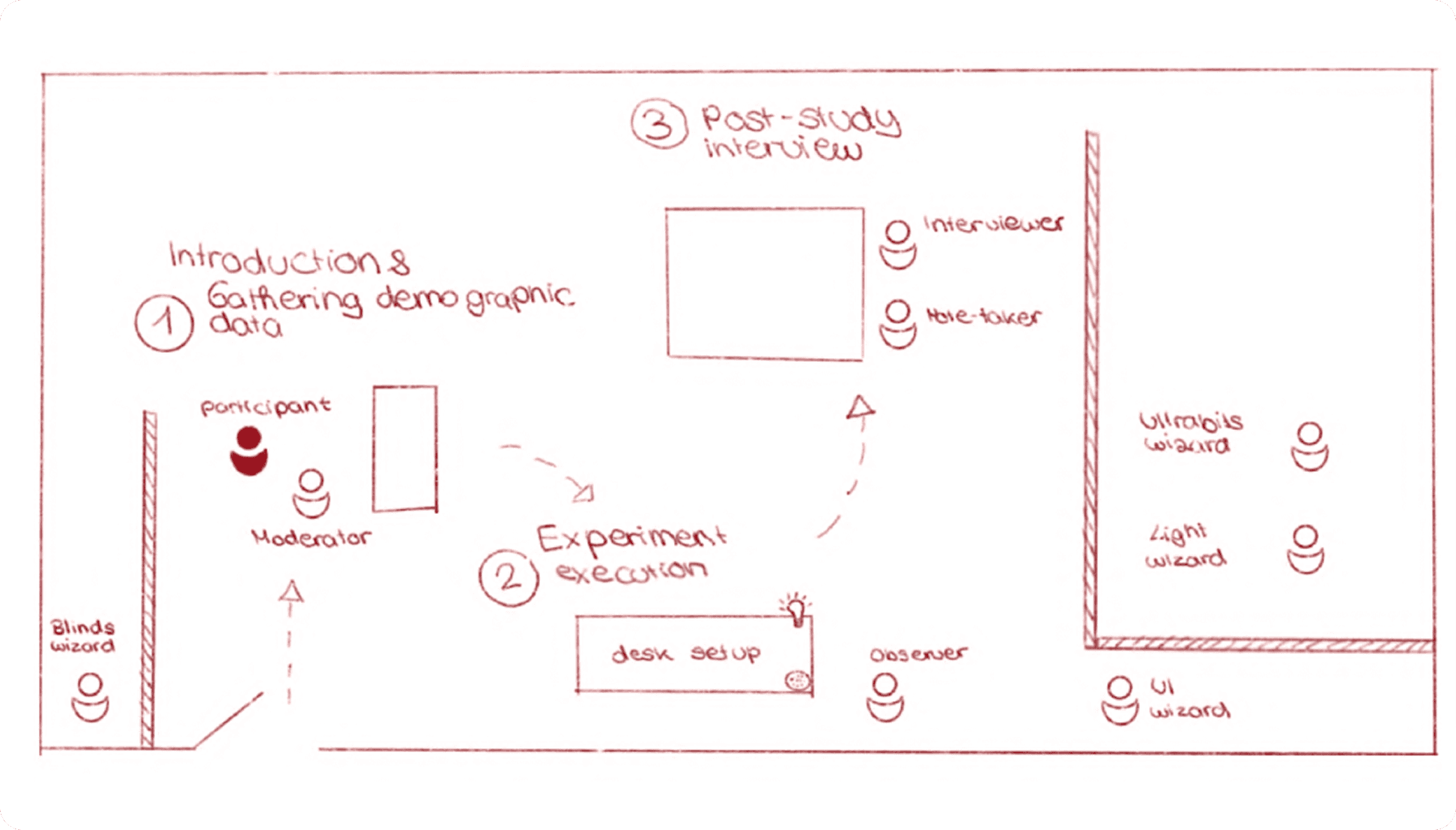
For evaluating whether the inclusion of a visual UI affects the gesture choice, performance and user experience when controlling lights, blinds, and HVAC in a classroom using HapTech, Participants could define their own gestures. A Wizard-of-Oz setup simulated touch-free interaction to test the impact of UI presence on behavior and experience.
12 Participants
Within-group approach
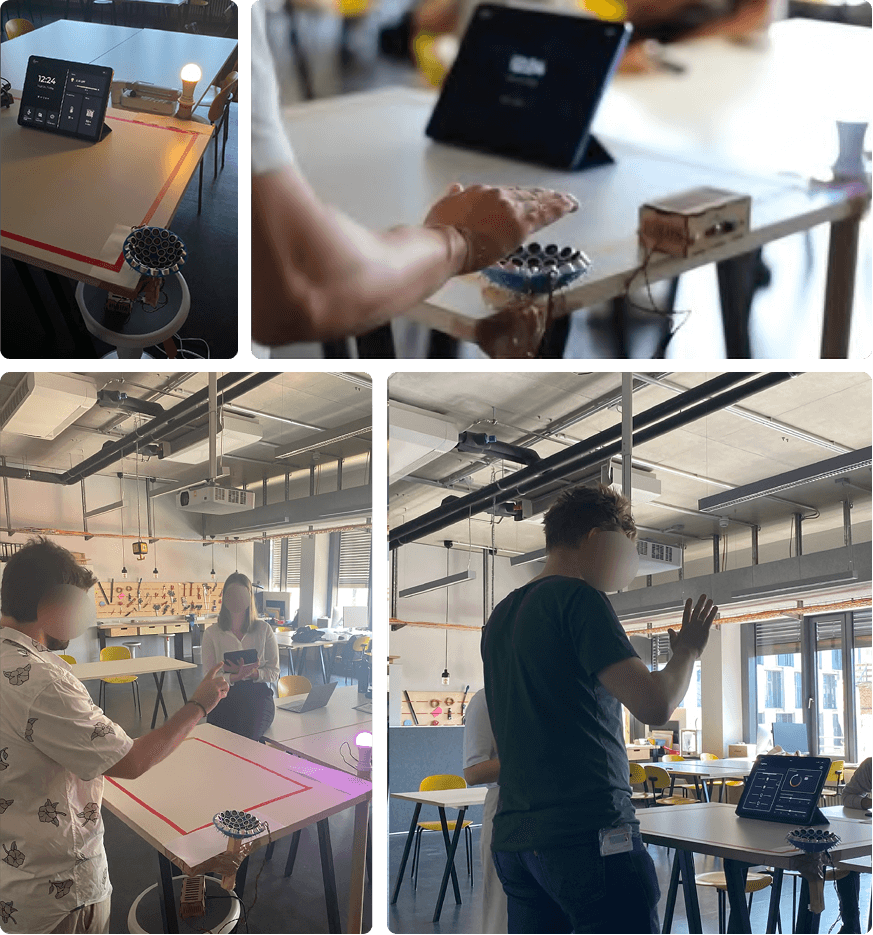
Conducted in a university classroom
IV1: Presence of a visual UI (yes/no)
IV2: Type of control (lights, blinds, HVAC)
DV: performance (trigger activation & task completion time), user experience (UEQ), gesture choice
2*3 factorial design
Participants engaged in three tasks per condition, and their gesture choices were assessed through overall selection and changes when switching between UI and no UI conditions. After completing the tasks a post-study interview was conducted.
Results
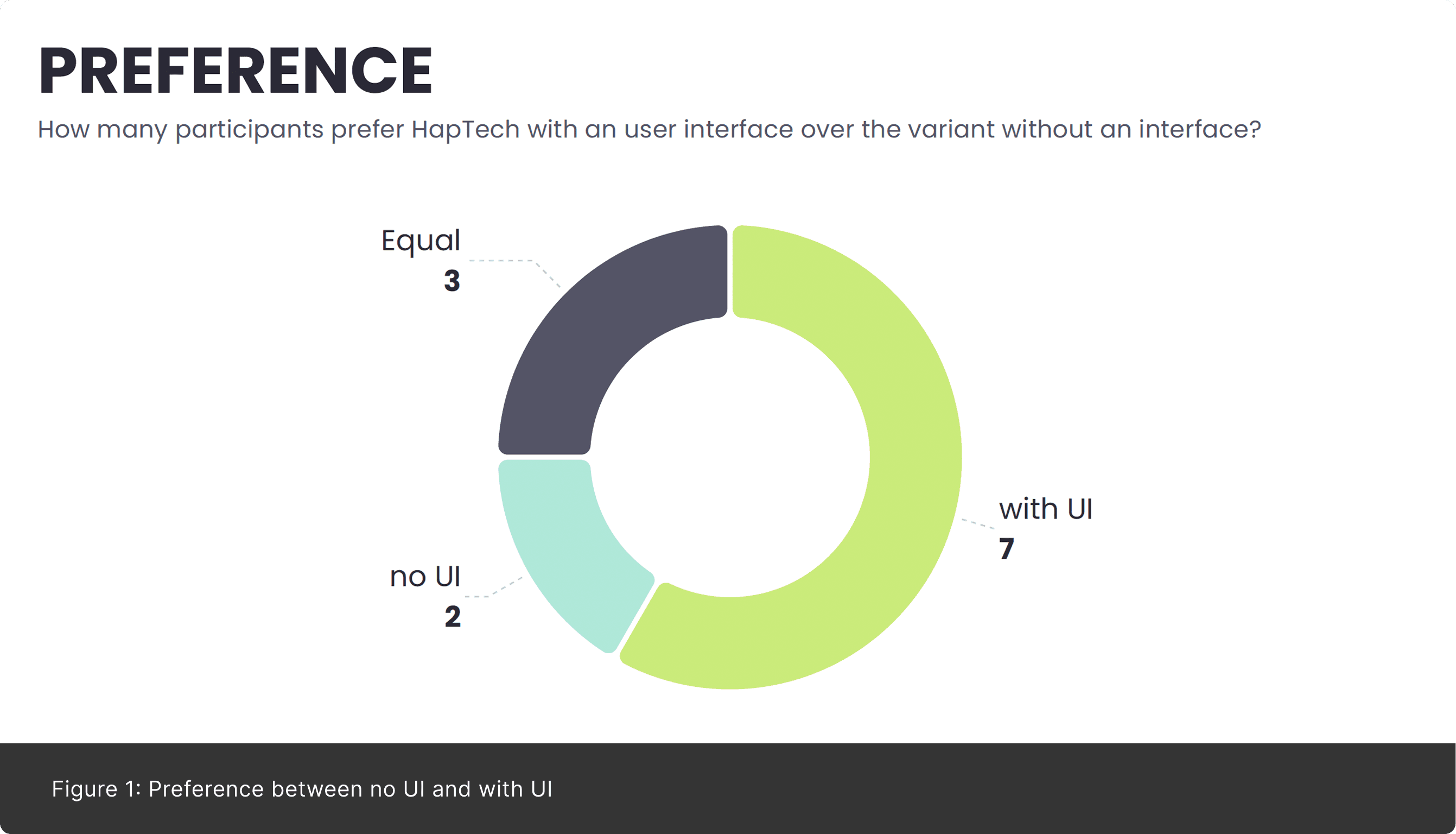
H1 — User Experience A visual UI improves overall user satisfaction and perceived user experience by providing clear feedback about the system’s current state. Post-study interviews show a clear user preference for UI-supported interaction over free-air gestures without UI. (Figure 1)
H2 — Performance
While a visual UI supports understanding, it can increase task completion time and error occurrences due to additional navigation and visual distraction.
H3 — Gesture Choice
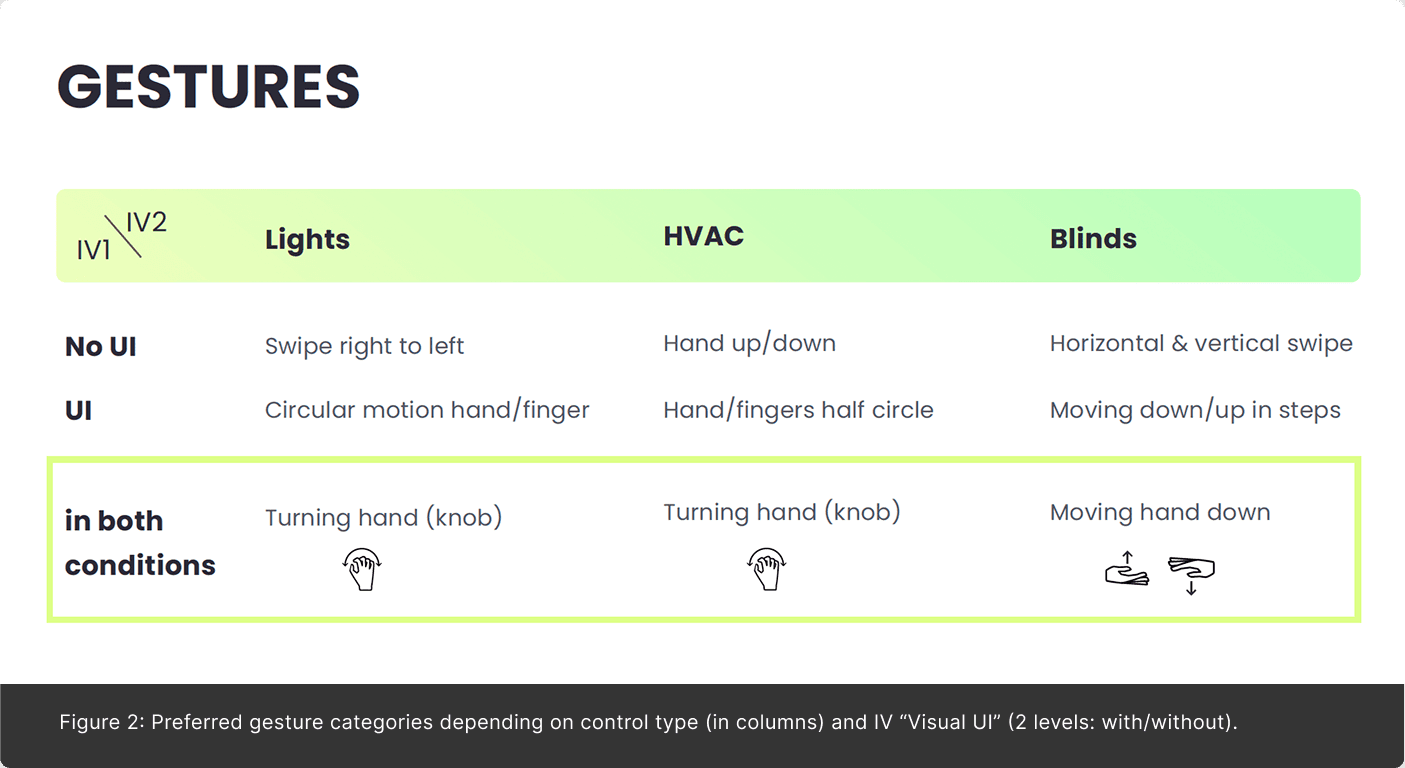
The presence of a visual UI influences gesture selection compared to free-air interaction without UI. With a visual UI, users adapt their gestures to on-screen elements, whereas without UI, gestures tend to align with users’ mental models of physical controls. (Figure 2)
Conclusion
Integrating a visual UI into a mid-air haptic smart home control system improves user satisfaction, system understanding, and perceived usability, and clearly influences gesture choice. Participants strongly preferred UI-supported interaction, as it provides necessary feedback about the system state.
While performance metrics showed increased task completion time and errors, the observed gesture patterns provide a foundation for refining UI design to support more efficient and intuitive touch-free interaction in future iterations.
Project Presentation at the MUC Conference, Switzerland
Our project was selected for presentation at the MUC (Mensch und Computer) Conference in Switzerland. Two team members represented us on-site and presented our work.
For the submission and presentation, we prepared a paper, designed a scientific poster, and produced a video. Being invited to the conference was a meaningful recognition of our work.